How to Migrate from WhatsApp to FM WhatsApp APK 2026
Do you want to send large videos and audio files, download statuses directly, and enjoy advanced privacy controls on WhatsApp? If yes, then switching from the official WhatsApp to FM WhatsApp can be a great choice.
FM WhatsApp APK comes with powerful customization and privacy features that are not available in the original WhatsApp app. You can hide blue ticks, schedule messages, change notification styles, and control your online visibility with ease. To help you switch safely, this guide explains how to migrate from official WhatsApp to FM WhatsApp APK step by step without losing your data.
Why Migrate from Official WhatsApp to FM WhatsApp APK?
Many users prefer FM WhatsApp APK because it offers advanced features and more control over their messaging experience. Once you start using it, the extra options make daily communication more flexible and enjoyable.
Here are the main reasons why people migrate to FM WhatsApp APK:
- Customization options
- Advanced pro features
- Enhanced privacy settings
Customization Options
FM WhatsApp allows users to fully customize the app’s appearance. You can change themes, fonts, icons, emojis, and chat styles according to your preferences. This level of personalization is not available in the official WhatsApp.
Advanced Pro Features
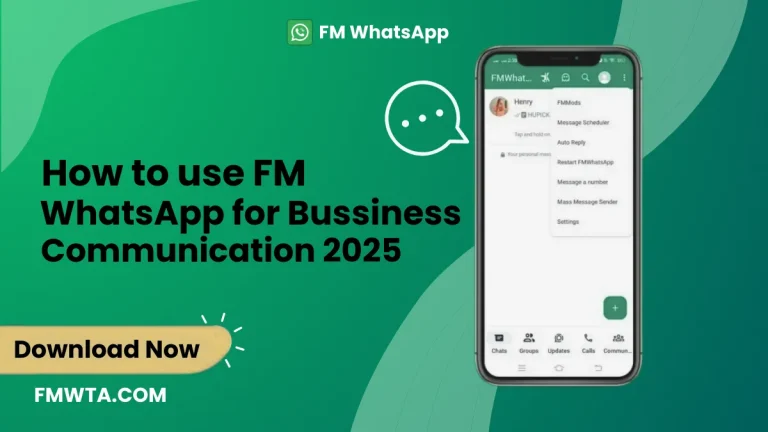
FM WhatsApp includes many powerful features that are missing from the standard app. You can copy captions, statuses, and bios, upload long status videos, and share large media files without size limits. These features make communication easier and more flexible.
Enhanced Privacy Settings
With FM WhatsApp, you get advanced privacy controls. You can hide your typing status, freeze or hide last seen, hide status views, and manage who can see your online activity. These options help you stay private while chatting.
How to Migrate from Official WhatsApp to FM WhatsApp
Follow the steps below carefully to transfer your chats and media safely from official WhatsApp to FM WhatsApp.
Step 1: Create a Backup on Official WhatsApp
Before switching, it is important to back up your chats.
- Open the official WhatsApp app.
- Go to Settings.
- Tap on Chats.
- Select Chat Backup.
- Create a local backup on your device.
This backup keeps your chats and media safe during the migration process.
Step 2: Download and Install FM WhatsApp APK
After creating a backup, download the latest version of FM WhatsApp APK on your device.
Before installing:
- Open your phone’s settings.
- Go to Security.
- Enable Install from unknown sources.
Now locate the downloaded FM WhatsApp APK file and install it by following the on-screen instructions.
Step 3: Uninstall Official WhatsApp
Once FM WhatsApp is installed, uninstall the official WhatsApp app if you do not want to keep both apps.
Important note: Do not delete your WhatsApp account while uninstalling. Deleting the account can remove you from your existing groups.
Step 4: Verify Your Number and Restore Backup
- Open FM WhatsApp.
- Agree to the terms and continue.
- Verify your phone number.
- When prompted, choose Restore Backup.
Make sure you have a stable internet connection and keep the app open until the restoration process is complete.
Step 5: Complete Setup and Customize
After your data is restored, complete the setup process. You can now customize themes, privacy options, and other pro features based on your preferences.
Congratulations! Your data has been successfully migrated from official WhatsApp to FM WhatsApp APK.
Advantages of Using FM WhatsApp
Migrating to FM WhatsApp APK offers several benefits:
- Keeps your old chats and memories safe
- Allows sharing of large media files
- Provides advanced privacy controls
- Offers unlimited customization options
- Includes anti-ban protection
- Enables messaging without saving contacts
Frequently Asked Questions (FAQs)
Is it legal to use FM WhatsApp?
FM WhatsApp is a modified app. Users should understand its features and use it responsibly.
Why do people switch to FM WhatsApp?
For extra features, better privacy control, and more customization options.
Can I migrate without losing my chats?
Yes, if you create a proper backup and restore it during setup.
Is FM WhatsApp available on app stores?
No, it is not available on official app stores.
Will my contacts know I am using FM WhatsApp?
No, your contacts will not be notified.
Final Thoughts
Migrating from official WhatsApp to FM WhatsApp allows you to enjoy advanced features and greater control over your messaging experience. By following the steps in this guide carefully, you can switch safely without losing chats or media. FM WhatsApp APK offers a more customizable and feature-rich way to stay connected.